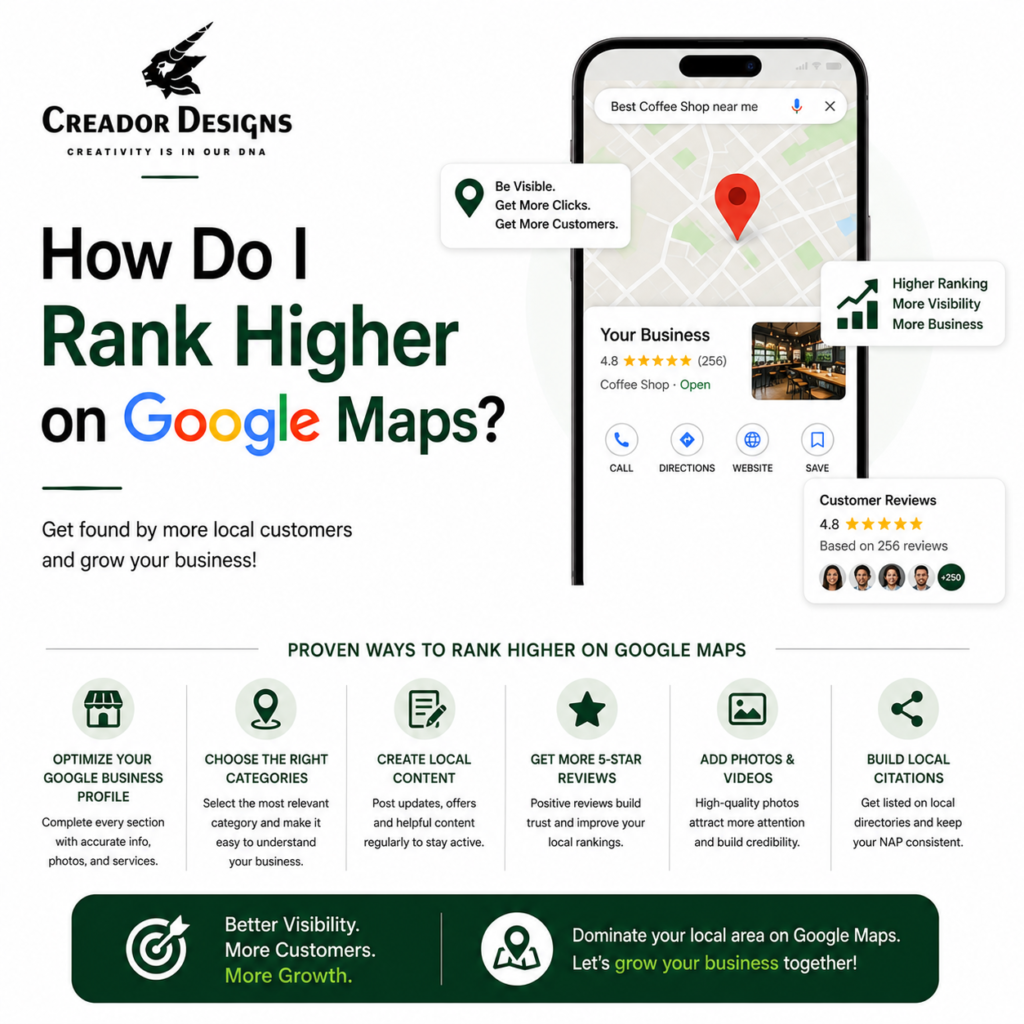
If you’re wondering “How Do I Rank Higher on Google Maps?”, the key is to optimize your Google Business Profile, improve your Local SEO, collect genuine customer reviews, maintain accurate business information, publish regular updates, and build a strong online presence. Google Maps rankings are influenced by relevance, distance, and prominence, along with factors like reviews, website quality, local citations, and business activity. A well-optimized Google Business Profile helps your business appear in local search results, attract more customers, and generate more calls, website visits, and inquiries.
Key Takeaways
- Optimize your Google Business Profile completely.
- Collect genuine customer reviews regularly.
- Use Local SEO to improve Google Maps visibility.
- Keep business information accurate and consistent.
- Publish regular Google Business Profile posts.
- Build a fast, SEO-friendly website connected to your business profile.
Why Google Maps Ranking Matters
When customers search for businesses like:
- “Digital Marketing Agency Near Me”
- “Graphic Designer in Pune”
- “Packaging Design Company”
- “SEO Services Near Me”
Google often displays a Google Maps (Local Pack) before the regular search results.
If your business appears in these top local results, you’re more likely to receive:
- Phone calls
- Website visits
- Direction requests
- Customer inquiries
- Store visits
- Qualified leads
Ranking higher on Google Maps means your business becomes easier for nearby customers to discover.
How Google Determines Google Maps Rankings
Google primarily considers three important factors:
1. Relevance
Your Google Business Profile should clearly describe:
- Business category
- Products
- Services
- Business description
- Keywords related to your business
The more relevant your profile is to a customer’s search, the better your chances of appearing.
2. Distance
Google considers how close your business is to the searcher’s location.
While you cannot control a customer’s location, you can improve your visibility by optimizing your business profile for your service areas and maintaining accurate business information.
3. Prominence
Prominence reflects how well-known and trusted your business is online.
Google looks at factors such as:
- Customer reviews
- Website quality
- Local citations
- Online mentions
- Business activity
- Overall online reputation
The stronger your online presence, the better your opportunities to rank.
8 Proven Ways to Rank Higher on Google Maps
1. Complete Your Google Business Profile
A complete profile gives Google more information about your business.
Make sure your profile includes:
- Business name
- Primary category
- Secondary categories
- Address
- Phone number
- Website
- Business hours
- Services
- Products
- Business description
- High-quality photos
Complete profiles are generally more competitive in local search.
2. Use the Right Business Categories
Choosing the correct primary and secondary categories helps Google understand your business.
For example:
- Digital Marketing Agency
- Graphic Designer
- Advertising Agency
- Website Designer
Select categories that accurately reflect your services.
3. Collect Genuine Customer Reviews
Customer reviews are among the strongest Local SEO signals.
Encourage satisfied customers to:
- Leave honest Google reviews.
- Share detailed feedback.
- Mention their experience naturally.
Avoid buying fake reviews or offering incentives that violate platform policies.
4. Respond to Every Review
Replying to reviews demonstrates that your business is active and values customer feedback.
Respond:
- Professionally
- Promptly
- Politely
Thank customers for positive reviews and address concerns respectfully in negative reviews.
5. Publish Regular Google Business Profile Posts
Keep your profile active by posting:
- Business updates
- New services
- Blog articles
- Offers
- Events
- Company news
Regular updates show that your business is active and engaged.
6. Improve Your Website’s Local SEO
Your website supports your Google Maps ranking.
Optimize:
- Service pages
- Location pages
- Local keywords
- Meta titles
- Internal links
- Mobile performance
A well-optimized website strengthens your local search presence.
7. Maintain Consistent Business Information
Ensure your:
- Business Name
- Address
- Phone Number (NAP)
are consistent across your website, Google Business Profile, business directories, and social media platforms.
Consistency helps search engines trust your business information.
8. Add High-Quality Photos
Businesses with updated, professional photos often attract more engagement.
Upload:
- Office photos
- Team photos
- Products
- Services
- Completed projects
- Interior & exterior images
Fresh visuals encourage customer interaction and improve profile quality.
Common Mistakes That Hurt Google Maps Rankings
Avoid these common issues:
- Incomplete Google Business Profile
- Incorrect business category
- Outdated contact information
- Few or fake customer reviews
- Ignoring customer feedback
- Inconsistent business details across platforms
- Inactive Google Business Profile
- Poor website experience
Correcting these issues can strengthen your local presence over time.
Google Maps Optimization vs No Optimization
| Optimized Google Business Profile | Unoptimized Google Business Profile |
|---|---|
| Better local visibility | Lower search visibility |
| More customer inquiries | Fewer leads |
| Higher customer trust | Reduced credibility |
| Regular customer engagement | Limited engagement |
| Improved Local SEO | Weak online presence |
| Better chances of appearing in Google Maps | Less competitive in local results |
Benefits of Ranking Higher on Google Maps
Businesses that optimize their Google Maps presence often experience:
- Increased local visibility
- More website visitors
- Higher call volume
- More direction requests
- Better customer trust
- Increased qualified leads
- Stronger online reputation
- Sustainable local business growth
Why Choose Creador Designs?
At Creador Designs, we help businesses improve their visibility on Google Search and Google Maps through advanced Local SEO strategies.
Our Google Maps & Local SEO Services
- Google Business Profile Optimization
- Google Maps SEO
- Local SEO Strategy
- Keyword Research
- Google Business Profile Posts
- Review Management Guidance
- Website SEO
- Technical SEO
- AI Search Optimization
- Monthly Performance Reporting
We create customized Local SEO strategies that help businesses attract more local customers and improve long-term search visibility.
Expert Tips from Creador Designs
To improve your Google Maps rankings:
- Keep your Google Business Profile fully updated.
- Request genuine customer reviews consistently.
- Respond to every customer review professionally.
- Publish weekly Google Business Profile posts.
- Upload fresh, high-quality business photos.
- Optimize your website for local search keywords.
- Maintain consistent business information across every online platform.
- Create helpful content that answers customer questions and supports AI-powered search visibility.
Businesses that consistently maintain their Google Business Profile and Local SEO efforts are more likely to improve their visibility over time.
Frequently Asked Questions
How do I rank higher on Google Maps?
Optimize your Google Business Profile, improve Local SEO, collect genuine reviews, maintain accurate business information, publish regular updates, and build a strong website.
Do customer reviews affect Google Maps rankings?
Yes. Genuine customer reviews help build trust and are considered an important signal for local search visibility.
How often should I post on Google Business Profile?
Posting at least once a week helps keep your profile active and provides customers with fresh updates about your business.
Does my website affect Google Maps rankings?
Yes. A fast, mobile-friendly, SEO-optimized website supports your Local SEO efforts and strengthens your online presence.
Why choose Creador Designs?
Creador Designs provides complete Google Business Profile Optimization, Local SEO, Google Maps SEO, website optimization, SEO content writing, and AI Search Optimization to help businesses improve local rankings and attract more customers.
Final Thought
If you’re asking “How Do I Rank Higher on Google Maps?”, the answer lies in building a complete local SEO strategy. Optimizing your Google Business Profile, collecting authentic customer reviews, maintaining accurate business information, publishing regular updates, and strengthening your website all contribute to better visibility in Google Maps.
At Creador Designs, we help businesses improve their local search performance through proven Google Maps SEO strategies that increase visibility, generate quality leads, and support long-term business growth.